
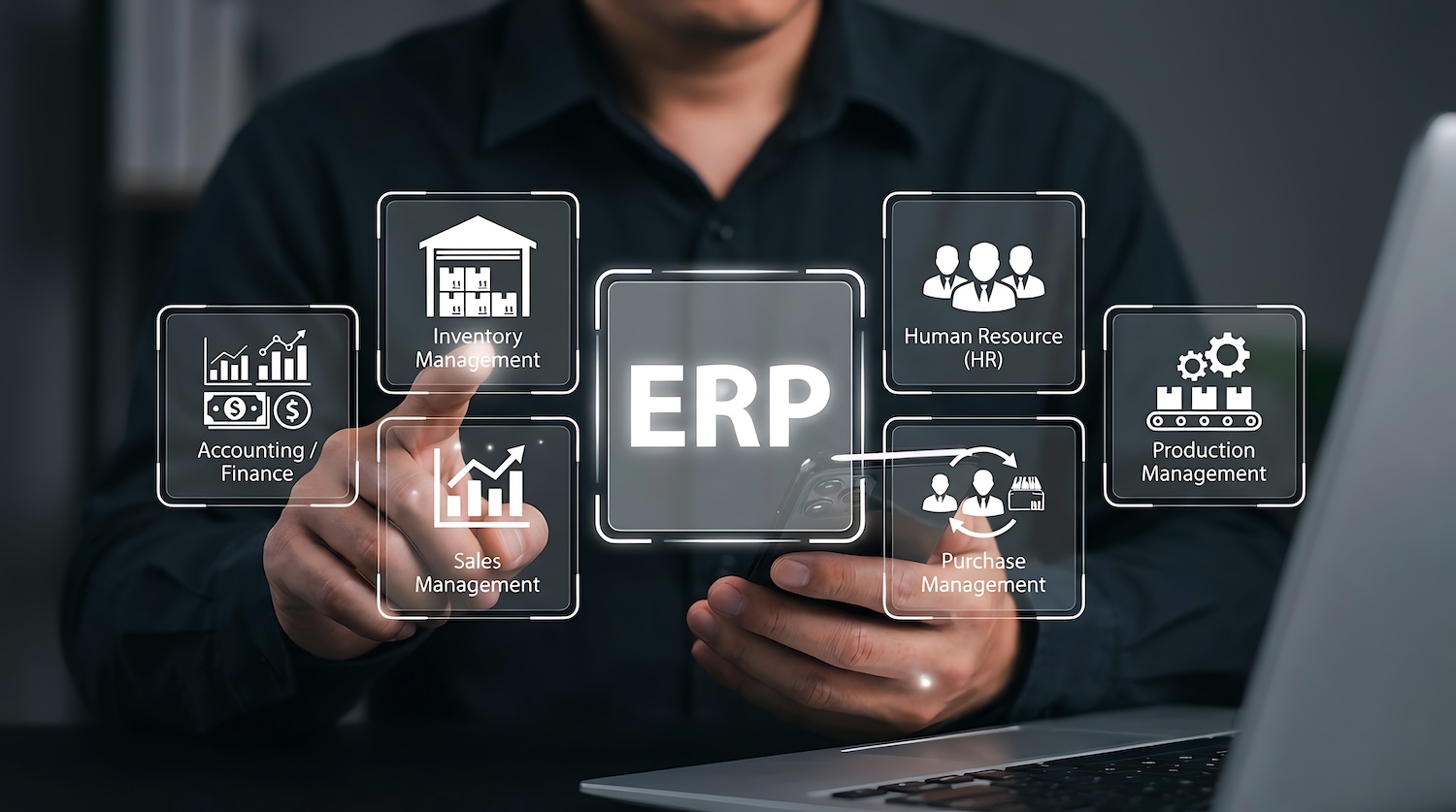
ERP integration is the process of connecting your enterprise resource planning system with other business applications to enable seamless data flow and unified operations. This integration automates processes, ensures data accuracy, and creates a unified platform for business functions. It’s a critical component of digital transformation, because without integration, even the most powerful ERP becomes an isolated system rather than a true operational backbone.
Modern ERPs centralize core processes like finance, procurement, manufacturing, and inventory. Integration extends that value outward, connecting ERP to systems like CRM, e-Commerce platforms, warehouse management systems (WMS), and business intelligence tools. This creates a connected ecosystem where data flows seamlessly across departments and functions in real time, supporting scalability and maintaining data consistency as your business grows.
As organizations adopt more cloud-based and hybrid systems, integration becomes even more important. Without it, businesses face fragmented data, manual workarounds, and inconsistent reporting. Poor integration often results in data silos, duplicated entry, delayed insights, and operational inefficiencies. The benefits of ERP integration include improved communication between systems, increased efficiency, and enhanced data access for various teams, ultimately leading to better business performance.
This guide will walk through everything you need to build a successful ERP integration strategy, including:
- Integration fundamentals and strategy
- Methods and architectural approaches
- Best practices for execution
- Testing and security considerations
- Long-term maintenance and scalability
What Is ERP Integration?
ERP integration connects your ERP system to external applications, enabling data to move seamlessly between systems while maintaining a single source of truth.
Common integration touchpoints include:
- CRM systems (customer data, sales orders)
- Warehouse management system (inventory control, storage, distribution)
- e-Commerce platforms (orders, inventory availability)
- POS systems (transactions, real-time sales data)
- Supply chain and logistics systems (shipping, fulfillment)
- Business intelligence tools (reporting and analytics)
- Mobile and field applications (real-time operational updates)
- Accounting software (financial operations, reporting)
The goal of ERP integration is to support:
- Real-time data flow across systems
- Elimination of duplicate data entry
- A unified operational and financial view
When implemented effectively, ERP integration ensures that all systems operate from consistent, up-to-date data, reducing errors and improving decision-making across the business.
ERP Integration Strategy Fundamentals
A successful ERP integration starts with a clear, structured strategy. Without proper planning, integrations can quickly become complex, costly, and difficult to maintain. A thorough examination of existing systems and legacy systems is vital for crafting an ERP integration strategy, ensuring compatibility and smooth transition.
During the planning phase, companies should also consider common erp integration methods, as choosing the right method is pivotal for successful erp implementation and aligning technology with specific business needs.
Assess Integration Needs
Before building anything, organizations must define what needs to be connected and why.
Key steps include:
- Identify systems, workflows, and data sources that need integration
- Prioritize mission-critical data flows over “nice-to-have” integrations
- Clarify business goals and specific integration use cases (e.g. order syncing, inventory updates)
This ensures integration efforts align with measurable business outcomes.
Plan Before You Build
Strong planning reduces risk and prevents costly rework.
- Align stakeholders across IT, operations, finance, and supply chain
- Define scope, timelines, and required resources
- Map data formats and flows, dependencies, and system interactions before development begins to enable accurate data transfer and compatibility
Planning upfront ensures integration is designed for scalability—not just immediate needs.
Choose the Right Integration Methods
There are several approaches to ERP integration, each with trade-offs:
- Point-to-Point Integration
- Simple and fast for small use cases
- Limited scalability and harder to maintain
- Simple and fast for small use cases
- Middleware Integration
- Centralized layer connecting multiple systems
- Improves flexibility but adds complexity
- Centralized layer connecting multiple systems
- iPaaS (Integration Platform as a Service)
- Cloud-based integration platforms
- Scalable, flexible, and easier to manage long-term
- Cloud-based integration platforms
Choosing the right integration method is a pivotal step in crafting an ERP integration strategy because it aligns specific business needs with the most effective technology. The right method depends on system complexity, growth plans, and maintenance capabilities.
Best Practices for ERP Integration Execution
Best Practice #1: Cleanse and Standardize Your Data First
Poor data quality is one of the leading causes of integration failure. Before integrating any systems, organizations must ensure their data is clean, consistent, and structured. Data cleansing means reviewing and correcting inaccuracies, removing outdated or duplicate records, and ensuring that all systems use the same definitions for key data points (e.g., product SKUs, customer records, units of measure).
Without this step, integrations can amplify existing problems—commonly referred to as “garbage in, garbage out.” If inaccurate or inconsistent data enters the integration, it will spread across connected systems, creating reporting errors, operational delays, and decision-making risks.
Key steps include:
- Standardizing data formats (dates, currencies, naming conventions)
- Removing duplicate or conflicting records
- Aligning master data across systems (customers, products, suppliers)
- Treating data cleansing as an early preparation step, not a post-integration fix
Data mapping is a crucial step during ERP integration to translate and structure data from various sources, ensuring accurate data transfer and alignment with business processes. Ensuring data integrity during data cleaning and system integration processes is essential for accurate decision-making and smooth system operation.
Clean data ensures integrations produce reliable, actionable outputs.
Best Practice #2: Opt for a Phased or Hybrid Rollout
A phased rollout means implementing ERP integrations gradually rather than all at once. Instead of connecting every system simultaneously, organizations roll out integrations in stages, testing and refining each phase before expanding further.
This approach reduces risk by allowing teams to identify issues early and make adjustments without disrupting the entire operation.
Common rollout strategies include:
- Big Bang: All integrations go live at once
- Best for: simpler environments with lower risk tolerance for delays
- Risk: higher chance of widespread disruption
- Best for: simpler environments with lower risk tolerance for delays
- Phased Rollout: Systems are integrated step-by-step
- Best for: complex environments with multiple systems
- Benefit: lower risk, easier troubleshooting
- Best for: complex environments with multiple systems
- Pilot Approach: Test integration with a small group or location
- Best for: validating processes before full deployment
For most enterprises, phased or hybrid approaches provide the best balance of speed, control, and risk mitigation.
Best Practice #3: Provide Training & Change Management
Change management is the process of preparing employees, processes, and systems to adopt new technology successfully. ERP integrations often change how teams work, so without proper support, adoption can stall.
Successful change management requires:
- Clear communication of goals and benefits
- Defined roles and responsibilities
- Ongoing support and feedback loops
Training is a critical component. Well-structured training programs help employees understand new workflows, reducing resistance and errors.
Examples include:
- Hands-on training sessions during rollout
- Role-based training for different departments
- Refresher sessions as systems evolve
- Access to user guides, documentation, and support resources
Organizations that invest in training and change management see faster adoption, fewer errors, and stronger long-term ROI from integration efforts.
Best Practice #4: Prioritize Security & Compliance
ERP integrations often involve sensitive financial and operational data. Protecting sensitive data is essential to prevent data breaches, which can result in financial losses, legal issues, and reputational damage. Security vulnerabilities can increase during ERP integration, especially when handling sensitive data.
Key security practices include:
- Encryption of data both in transit and at rest
- Role-based access controls with least-privilege access
- Secure authentication and authorization protocols
Organizations must also consider compliance with regulations such as:
- GDPR (data privacy in the EU)
- SOX (financial reporting controls)
- HIPAA (healthcare data protection)
In addition, maintaining audit trails and logging is critical. These logs track who accessed or modified data, helping organizations detect issues, meet compliance requirements, and support audits.
Security should be embedded into integration design—not treated as an afterthought.
Best Practice #5: Use Modern APIs & Versioning
Modern ERP integrations are typically built using APIs (Application Programming Interfaces). Designing integrations around API contracts means clearly defining how systems communicate, what data is exchanged, and how requests are structured.
Using versioned endpoints ensures that updates to APIs do not break existing integrations. For example, a new version of an API can introduce changes while older versions continue to function.
This approach supports:
- Backward compatibility, allowing systems to evolve without disruption
- Easier maintenance and upgrades
- Long-term scalability
By adopting API-first, version-controlled integration strategies, organizations future-proof their integrations and reduce the risk of costly rework.
Best Practice #6: Idempotent & Reliable Workflows
An idempotent workflow ensures that repeated actions (such as retries) do not create duplicate or inconsistent results. For example, if a system retries a failed transaction, it should not create multiple duplicate orders or records.
This is critical for integration reliability, especially in environments with high transaction volumes.
Best practices include:
- Using unique identifiers for each transaction or record
- Designing workflows that safely handle retries
- Maintaining logs to track transaction status
These practices help prevent duplicate entries, reduce errors, and ensure consistent data across systems—even when failures occur.
Best Practice #7: Centralized Monitoring & Alerts
Visibility into integration performance is essential for maintaining system reliability. Without monitoring, issues such as failed data transfers or delayed updates can go unnoticed until they impact operations.
Centralized monitoring involves:
- Dashboards that display integration health and performance
- Alerts for failures, delays, or threshold breaches
- Insights into system activity and data flow
To improve reliability:
- Set up automated alerts for critical failures
- Use periodic retries to resolve temporary issues
- Implement reconciliation processes to verify data accuracy across systems
Proactive monitoring allows teams to address issues quickly and maintain consistent system performance.
Best Practice #8: Maintain Documentation & Repositories
Comprehensive documentation is essential for long-term integration success. A single, centralized source of documentation ensures that all stakeholders understand how integrations are built, maintained, and updated.
This should include:
- Data flow diagrams
- API specifications
- Integration logic and workflows
- Troubleshooting guides
Version control is equally important. By maintaining versioned repositories:
- Changes can be tracked over time
- Teams can roll back updates if needed
- Collaboration becomes more efficient
Access policies should also be defined to ensure only authorized users can modify integration components.
Well-maintained documentation and repositories reduce dependency on individual team members, improve troubleshooting, and ensure integrations remain scalable and maintainable over time.
Common Pitfalls to Avoid
When ERP integration projects fail, it’s often not because of technology limitations, but because of avoidable mistakes in planning, execution, and governance. Understanding these pitfalls (and their consequences) can significantly improve your chances of success.
- Ignoring data quality until it’s too late
Poor data quality leads to inaccurate reporting, failed integrations, and operational confusion. If duplicate, inconsistent, or outdated data is integrated across systems, it spreads quickly—impacting inventory accuracy, financial reporting, and customer experience.
Avoiding this pitfall ensures reliable data flows, better decision-making, and fewer downstream corrections.
- Over-customizing ERP systems
Excessive customization may solve short-term needs but creates long-term problems like higher costs, difficult upgrades, and system instability. Over time, heavily customized ERPs become rigid and harder to scale.
Using standard ERP features with integrated systems instead allows for flexibility, easier upgrades, and lower total cost of ownership.
- Lack of cross-functional stakeholder involvement
When integration is treated as an IT-only project, critical business requirements are often missed. This can result in workflows that don’t align with real operational needs, leading to low adoption and inefficiencies.
Engaging stakeholders across finance, operations, and supply chain ensures integrations support real business processes and deliver measurable value.
- Skipping proper testing and UAT (User Acceptance Testing)
Insufficient testing can lead to data mismatches, broken workflows, and system downtime once integrations go live. These issues often disrupt operations and damage user trust.
Thorough testing and UAT validate integrations before deployment, reducing risk and ensuring smoother go-lives.
- Underestimating change management
Even well-designed integrations can fail if users don’t adopt them. Lack of training and communication leads to resistance, workarounds, and inconsistent usage.
Strong change management practices drive adoption, improve user confidence, and maximize ROI.
When these pitfalls are avoided, ERP integration delivers its full value: accurate, real-time data across systems, reduced manual work, improved operational efficiency, and scalable infrastructure that supports long-term growth.
How to Measure ERP Integration Success
Successful ERP integration should deliver measurable improvements. Successful ERP integration should deliver measurable improvements. Conducting a post-implementation review and evaluation is essential to measure its effectiveness and identify opportunities for improvement. This review should take place after the integrated ERP system has stabilized—typically three to six months post-launch—allowing enough time for users to adapt and for business processes to settle.
During the review, organizations should assess system performance against predefined key performance indicators (KPIs) such as data accuracy, system uptime, user adoption rates, and improvements in business process efficiency. Gathering feedback from users and stakeholders helps identify any pain points or areas where the system can be optimized further.
Key indicators include:
- Reduced manual processing and data entry
- Fewer data transfer errors
- Real-time data availability across systems
- Improved operational KPIs (order accuracy, inventory turnover, fulfillment speed)
Compare pre- and post-integration performance to evaluate impact. Integration success should align with broader business goals such as efficiency, accuracy, and scalability.
Tools & Technologies that Support ERP Integration
Successful ERP integration depends on a connected technology ecosystem where each platform plays a specific role. While ERP systems act as the core system of record, additional tools are often required to ensure real-time visibility, operational control, and scalable integration across the supply chain.
ERP Systems
ERP platforms serve as the financial and transactional backbone of the business. They centralize accounting, procurement, and order management, making them the system of record for critical business data.
However, ERP systems perform best when they consume clean, structured data from integrated systems. Over-customizing ERP inventory modules to handle complex workflows can increase costs, slow upgrades, and introduce long-term risk. Instead, modern integration strategies focus on keeping ERP streamlined while extending its capabilities through connected systems.
Integration & Middleware Tools
Integration platforms (middleware or iPaaS) connect ERP systems with applications like CRM, WMS, e-Commerce, and inventory platforms.
These tools:
- Enable reliable, real-time data flow between systems
- Reduce manual data entry and duplication
- Provide scalability as new systems are added
- Improve system flexibility without heavy ERP customization
By acting as a communication layer, these tools ensure ERP remains synchronized with operational systems across the business.
Inventory Visibility & Allocation Tools
This is where cloud-based inventory management platforms like Clear Spider play a critical role.
ERP systems are not designed to handle complex, real-time inventory logic across multiple locations, partners, and workflows. Clear Spider enhances ERP integration by acting as a specialized inventory control layer that improves data quality and operational visibility.
Clear Spider provides:
- Real-time inventory tracking across all locations
Giving organizations up-to-date visibility into stock levels, movements, and availability across warehouses, field locations, and customer sites. - Seamless ERP integration
Connecting directly with ERP, accounting, and CRM systems to ensure consistent, synchronized data across the business. - Multi-location inventory control and centralized visibility
Allowing enterprises to manage complex inventory environments from a single platform. - Automated replenishment and workflow automation
Reducing manual intervention while improving accuracy and preventing stockouts. - Barcode scanning and data capture
Improving inventory accuracy and ensuring that ERP systems receive reliable, real-time updates.
By handling inventory logic, allocation, and real-time tracking outside of ERP, Clear Spider ensures that only accurate, validated inventory data flows into the ERP system. This reduces errors, improves reporting, and enhances overall supply chain performance.
More importantly, this approach allows organizations to:
- Enhance ERP capabilities without over-customization
- Scale inventory operations without increasing system complexity
- Improve visibility across the entire supply chain ecosystem
Clear Spider supports ERP integrations by delivering accurate, real-time inventory data without adding ERP complexity.
Talk to one of our experts today!
ERP Integration Best Practices FAQ
What Are the Benefits of an ERP Integration Strategy?
- Reduction in manual data entry
- Real-time data sharing across systems
- Fewer data redundancies
- Improved scalability
- Holistic views of customers and operations
- Greater data consistency
- More predictable outcomes
- Cost savings through increased efficiency and reduced waste in supply chain management
How Much Time Should Integration Planning Take?
ERP integration planning typically takes 3–6 months for standard projects, depending on complexity.
Full integration timelines can range from:
- 3–18 months for SMBs
- 9–36+ months for enterprise organizations
The timeline depends on system complexity, number of integrations, and organizational readiness.